Your clients walk in, your animated face (or your logo) greets them, and they check themselves in. You find out instantly, with her name and service. No receptionist, no apps, no third party monthly fees.
Requires an iPad with Wi-Fi (not included). It also works on recent Android tablets with Chrome; the full experience, with natural voice and kiosk mode, is on iPad.

The same kiosk, in your words. Choose how it addresses people ("welcome" for her, for everyone, or as patients), your services, your questions and your consent forms.
Esthetics, nails, spa, lashes & brows, permanent makeup, barbershop, massage. With consent forms ready to sign on the iPad.
Dentists, therapies, practices: "welcome, patient", reason for the visit, your consent form by QR.
Reception for visitors, deliveries and messages; direct contact with the person they are looking for.
If your reception needs a different step (policy number, reason for visit, another language), it is added as an upgrade with a price before we start.
An iPad on a stand at the entrance, or on your front desk, welcomes every person who walks in and tells them exactly what to do.
No receptionist yet. Your client still arrives to a place that greets her by name and guides her.
Day off, vacation, sick day. The iPad covers the entrance and nothing falls through.
Esthetician, nails, lashes, whoever rents a room: each with her own photo and her own alerts.
A luxury spa first impression, with your logo, your colors and your face if you want it, not a generic form.
Real screens from the kiosk. Big, clear, in your client's language, with voice at every step.
It notices someone walking in (by motion or by your door chime) and greets her in English and Spanish.

Each professional with her photo, her name and her title. If you work alone, with you.

First name, last name, mobile, email and birthday, saved in your panel.

The iPad camera takes her photo and keeps it with her details. You decide if this step is on.

Your services, with your names and your order.
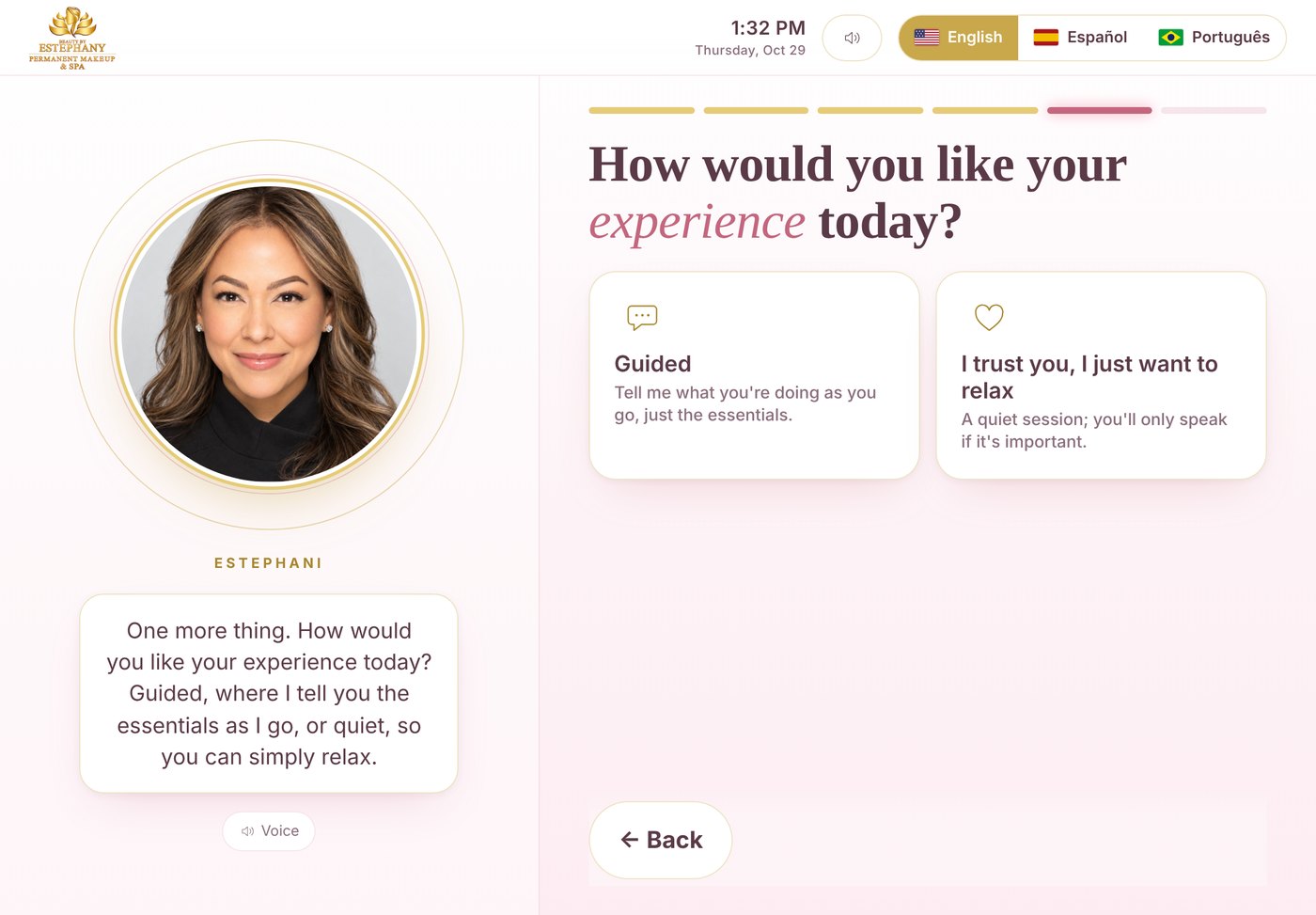
She chooses whether you narrate as you go, or she just relaxes.
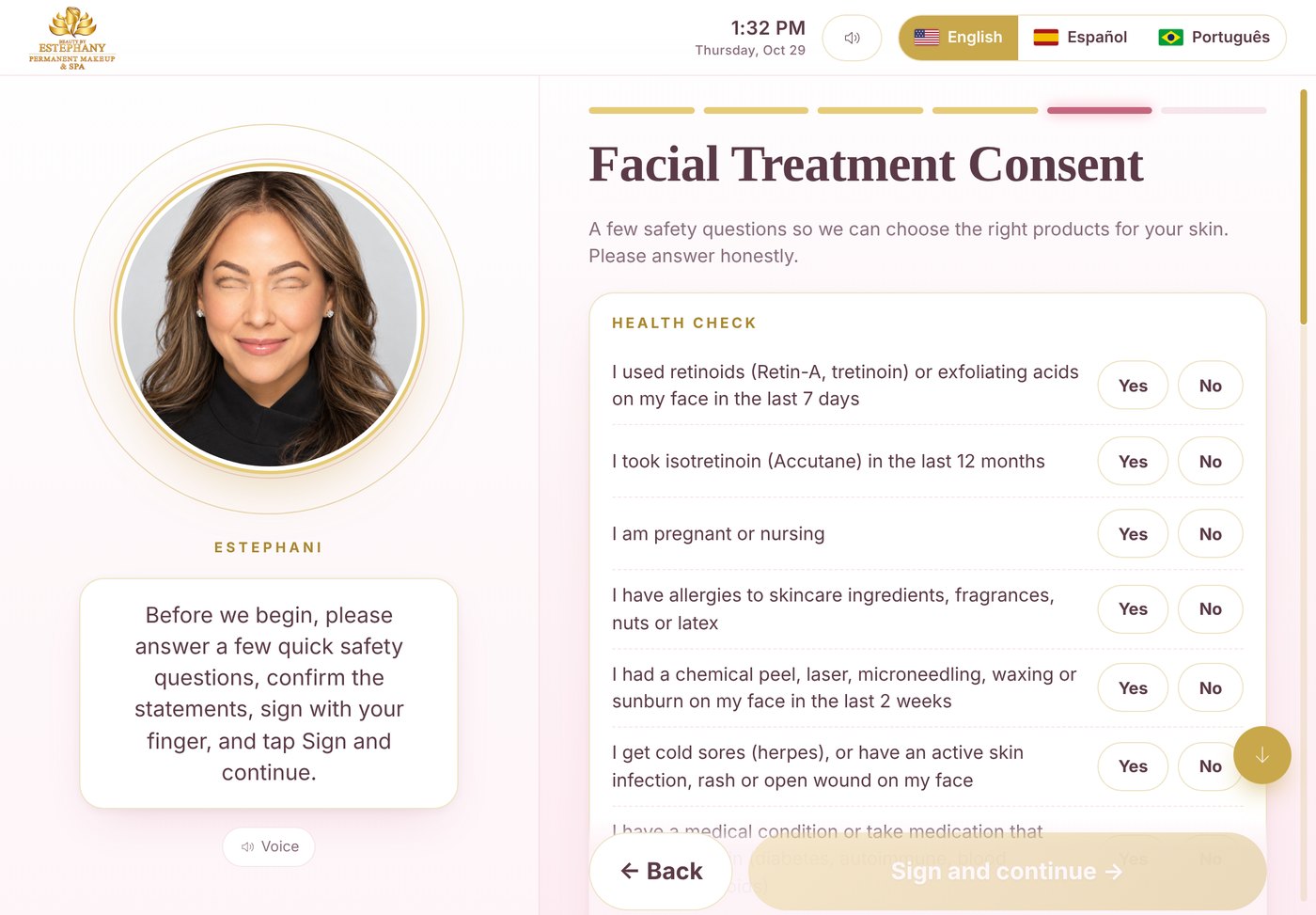
Safety questions, statements and a finger signature. Saved as a PDF in your panel. Only for the services that have one.
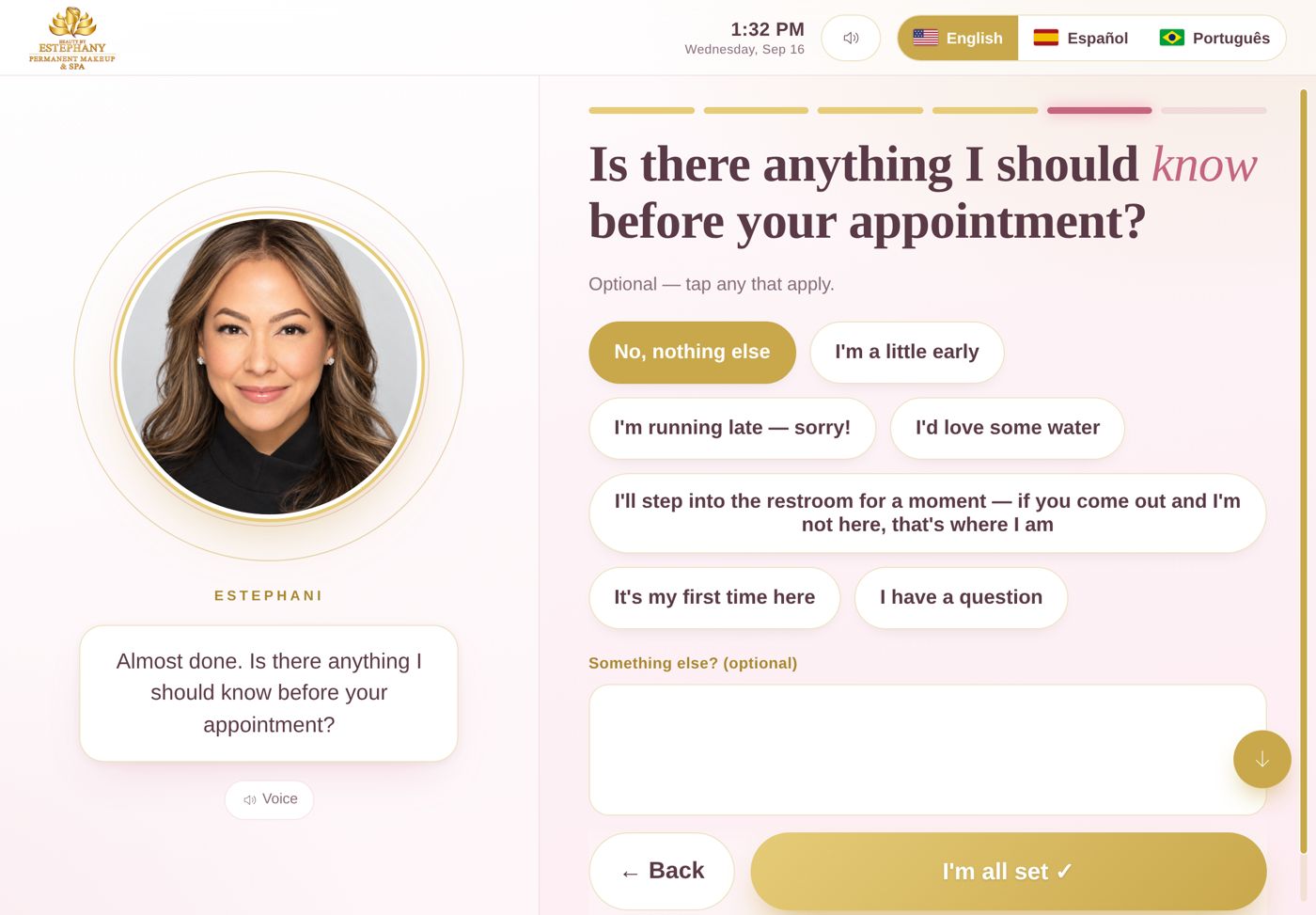
She came early, wants water, has a question. It all comes with your alert.
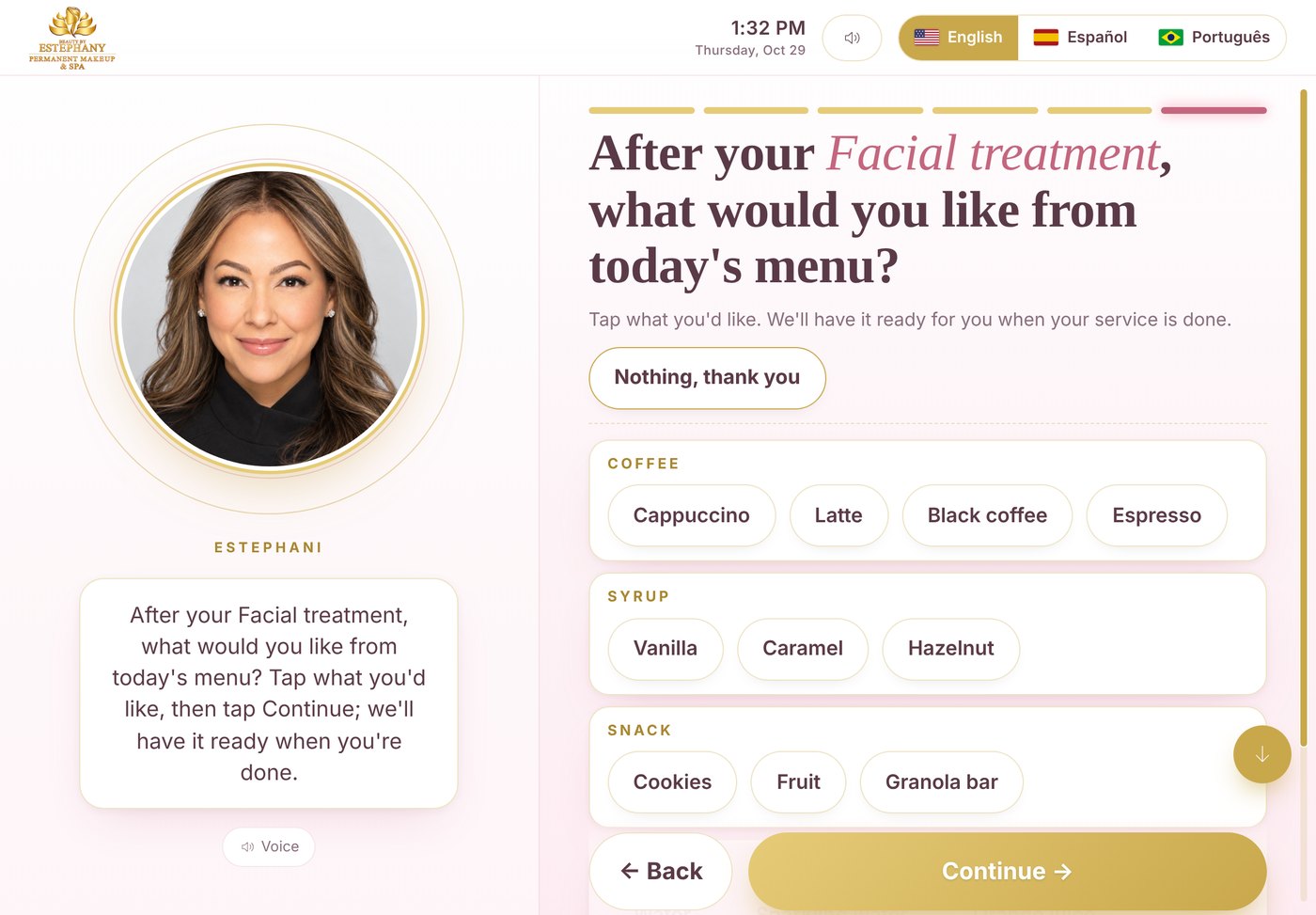
Coffee, tea or a snack: she picks what she wants and you have it ready when she is done. If you have a menu.

Your receptionist gives the instructions. You already got the alert.
As soon as check-in ends, the alert reaches you with her name, service, mobile and notes, and the arrival is logged in your panel, on any device.
She checks in on the iPad
You get the alert instantly
It stays in your panel
You welcome her
A complete reception that greets, registers, alerts you, minds the details and says goodbye with a review. All from one iPad.
Your photo blinks, glances, moves and talks. And if you would rather stay off screen, your logo greets with the voice.
Every arrival reaches you with her name, service, mobile and notes.
Safety questions and her signature with a finger. An elegant PDF in your panel.
Each with her photo, services, consent forms and her own alerts.
English, Spanish and Portuguese with the iPad's natural voice.
The courier lets you know in three taps, without typing anything.
She taps a topic or asks out loud; your receptionist answers with your words.
Coffee, a drink or a snack after her service; you decide what to offer.
Your Google review, Instagram and links go to her phone by QR.
Arrivals, clients, visits and birthdays, synced between iPad, computer and phone.
This month's treatment on the home screen, said out loud, expires on your date.
Your client sees it as she opens the door. Your face greets her before you step out.
While you are in the treatment room, the front desk keeps receiving and alerting.
One iPad for everyone: each visit goes to the right professional.
A discreet button on the kiosk opens your panel with a PIN, on the iPad, your computer or your phone. Everything you change there syncs by itself.
The technology is already built: the animated face, the voice in three languages, the alerts, the consent forms and the panel. In your design studio you only choose your logo, your colors, your face and your team, watching it on a test iPad, step by step with examples. About 20 minutes.
You subscribeSecure payment with Square. When done, it takes you straight to your design studio.
You personalize it, watching it liveYour logo, your face or your logo, your colors, your team, your buttons and your words. It saves itself; stop and continue later.
You send it onceYour design is locked and our team verifies and polishes it closely: texts, photos, buttons, languages.
Live on your iPadWithin 1 to 2 business days you get your link, your key and your guide with pictures. Add it to the Home Screen and that's it.
Changed your mind after sending? Each change is $49.99 and opens your same design studio with everything you have. The basics (numbers, names, services, team photos, Wi-Fi, short texts) you change yourself, free, from your panel.
Corporate reception systems cost $199 to $499 a month. This one is yours, with your brand.
Secure payment with Square. When done, it takes you straight to your design studio.
Secure payment with Square. When done, it takes you straight to your design studio.
Before you buy: you need an iPad with Wi-Fi (not included). Unsure about your tablet? Write to us before paying.
On your card statement, the charge appears as SQ *BEAUTY BY ESTEPHANY. Pro Hub Systems is a brand of Beauty By Estephany LLC.
You personalize your kiosk in your design studio and we verify it and publish it. A change is when we adjust something it already has; an upgrade is a new feature that has to be built.
Yes: 14 days free, no card. You personalize it in your design studio, we verify it and publish it, and your 14 days start that day. Three days before it ends we let you know and send you 2 options to subscribe. If you subscribe with the same email, your kiosk keeps working the same, with the same key; if not, it pauses by itself. One trial per email.
No. It is a page you open in Safari on the iPad and add to the Home Screen. It looks and works like an app, and locks in kiosk mode.
Instantly, with her name, service, mobile and notes; and it stays in your panel, which you can open on any device.
The iPad's natural voices in English, Spanish or Portuguese. Your face moves its lips, blinks and glances while it speaks.
An iPad with Wi-Fi, a stand, your logo and, if you choose your face, a photo of you facing the camera on a light background. You personalize everything in your design studio, from your computer, your iPad or your phone.
The technology is already built and tested: the animated face, the voice in three languages, the alerts, the consent forms and the panel. You only personalize it with your brand in your live design studio, step by step with examples (about 20 minutes). When you send it, our team verifies it closely, polishes it and publishes it within 1 to 2 business days. You never touch code.
The basics (numbers, names, services, team photos, Wi-Fi, short texts) you change yourself, free, from your panel. Anything else is a change: $49.99 each, and it reopens your same design studio with everything you have, so you only touch what you want.
Your kiosk works while your subscription is active. If you cancel, it keeps working until the last day of the period you already paid for and then turns off by itself. If a payment does not go through, you have 3 days to update your card; then it turns off and comes back by itself as soon as the payment goes through. Your data (arrivals, team, consents) stays saved on your iPad, and if you subscribe again we reactivate your same kiosk.
Before publishing, our team verifies it. If something needs fixing, we email you and reopen your design studio at no cost so you can correct just that.
Yes, on recent Android tablets with Chrome. The full experience, with natural voice and kiosk mode, is on iPad; tell us your model and we test it first.
Add as many as you want. Each one appears with her photo and title, has her own services and menu, and receives only her alerts.
Each purchase includes one activation for 2 devices: your main iPad at the entrance and a backup (a second iPad or tablet in case the first one is charging or breaks). You type your key once on each. Need more devices? An additional activation is added.
Make it yours today in your live design studio. On your iPad in 1 to 2 business days. Your brand, your face, your words.